
Think in typed graphs.
Concept Mapper is a tool for building, editing, and reasoning over concept maps where every node and edge has a type. Maps are plain-text Markdown; the schema they obey lives in a separate template. Your thinking stays portable, greppable, and yours.
./scripts/build-app.sh --open: one command runs the tests, builds the app, and opens it. Because you build it yourself, the app is signed with your own developer identity, so macOS raises none of the "cannot verify the developer" friction a downloaded binary would.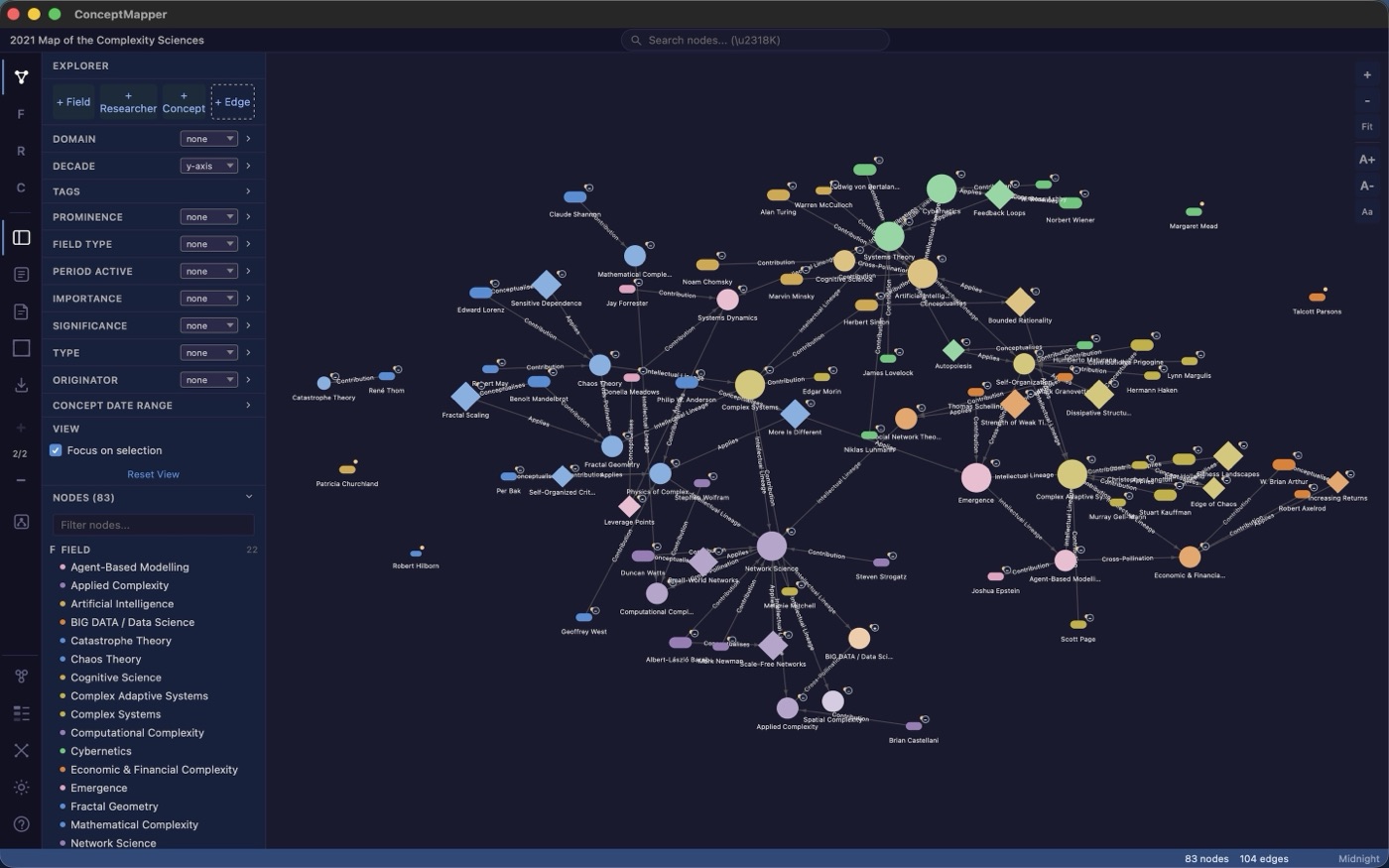
Focus
Follow a single thread
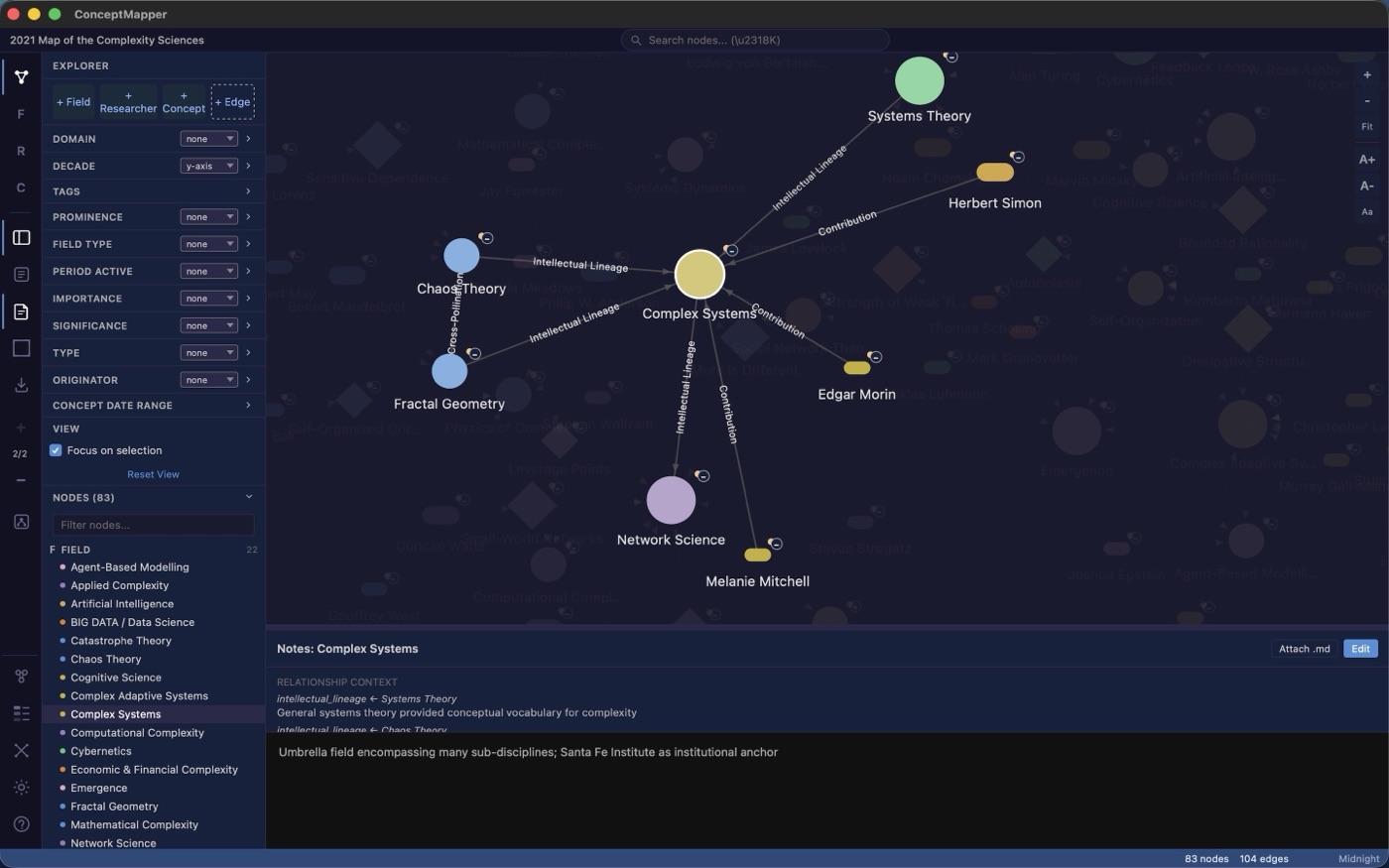
Select any node and the canvas concentrates on it and its neighbours, dimming the rest. Edges carry their relationship type — intellectual lineage, contribution — as labels, and the notes pane gathers the relationship context for the selected idea in one place.
Structure
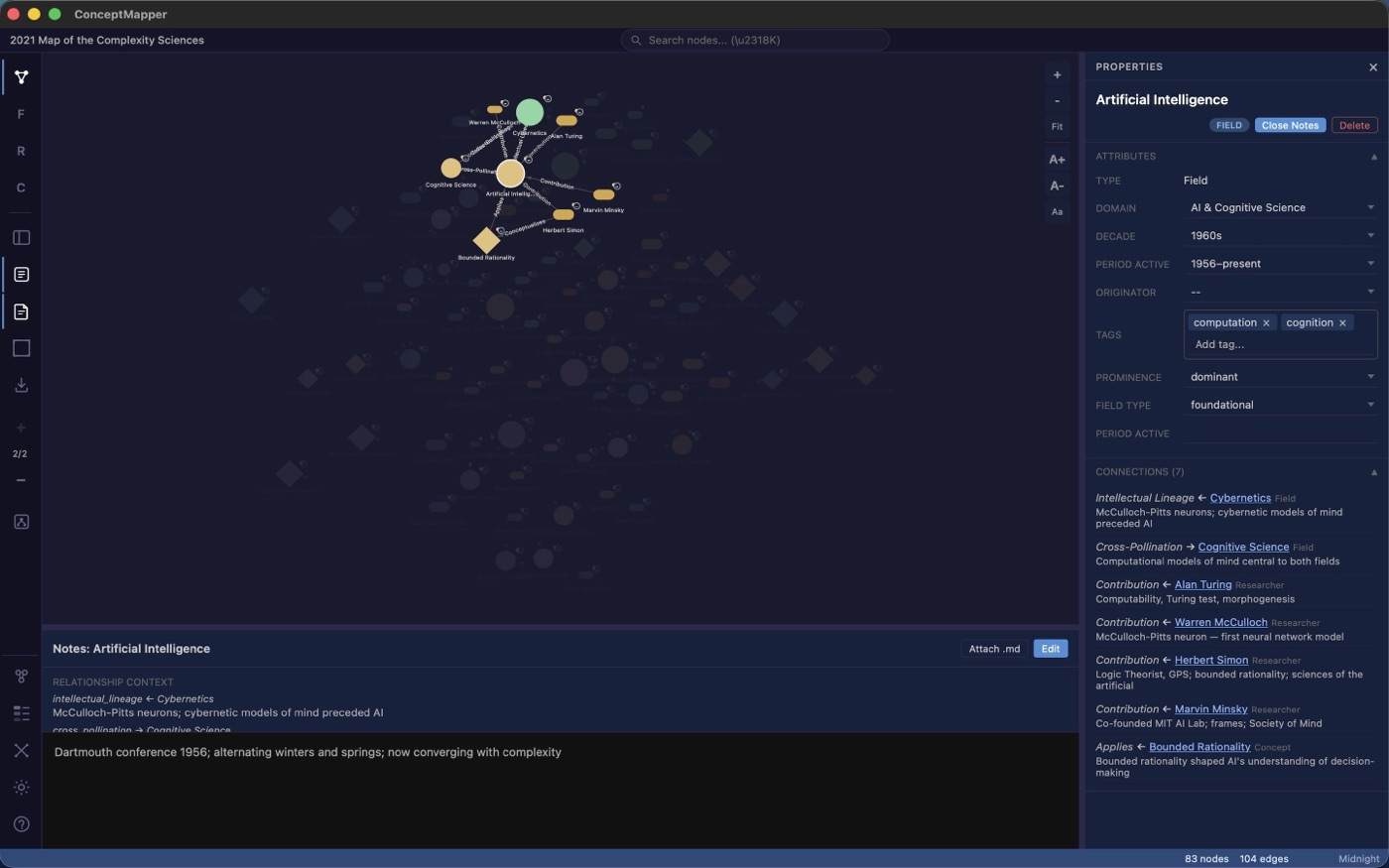
Every node is real data, not a label
Behind each node is a typed record: classifier dropdowns, free-text fields, and tags with autocomplete drawn from the rest of the map. The Properties panel lists every connection by type and direction, so you can read a node's place in the network without hunting across the canvas.
Analysis
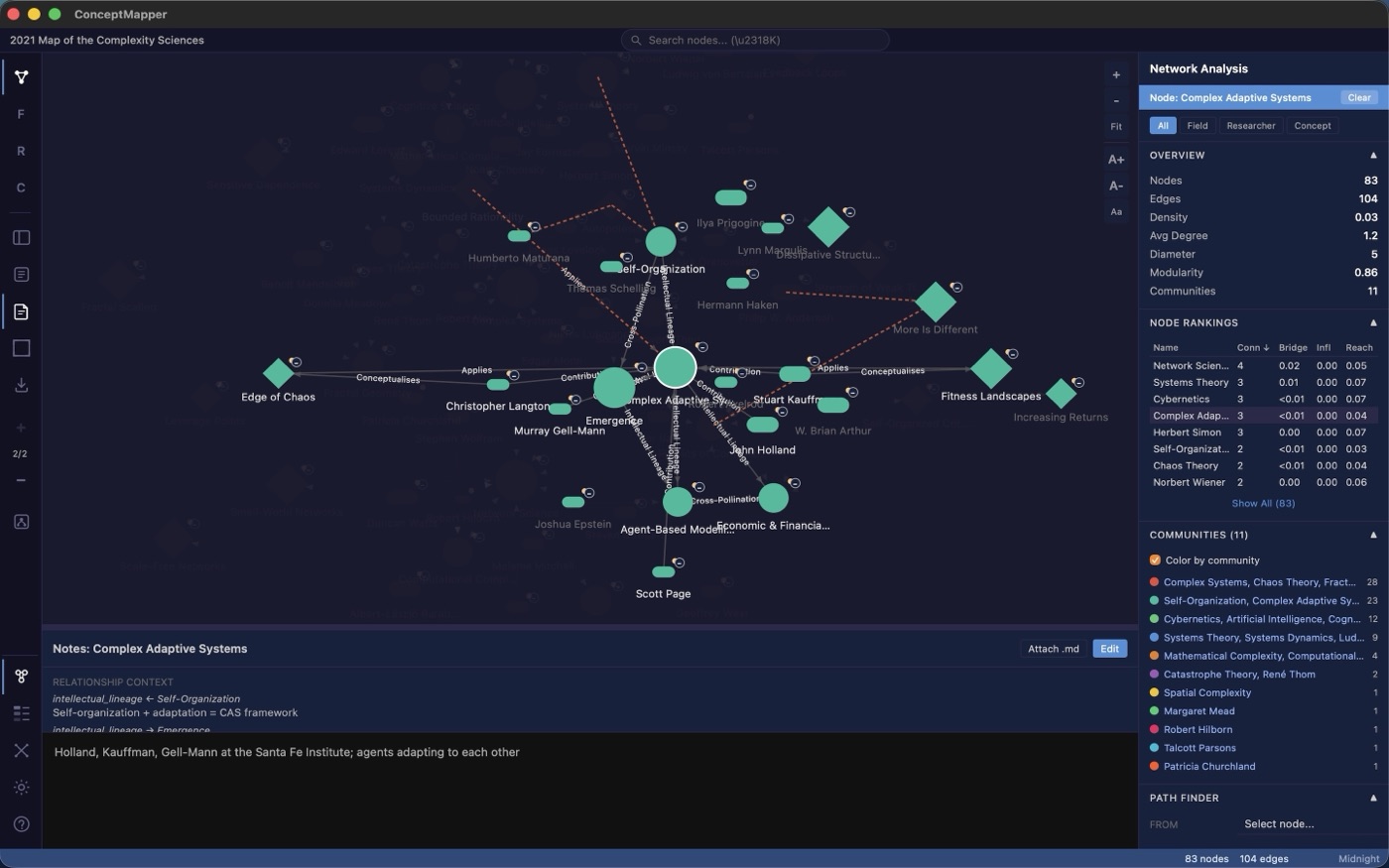
Graph theory, built in
Density, average degree, diameter, modularity. Per-node degree, betweenness (bridge), eigenvector (influence), and closeness (reach). Community detection you can paint onto the canvas, and a path finder that surfaces the single weakest link between any two ideas — the structure you cannot see by looking, made measurable.
Your schema
Design the taxonomy; the map follows
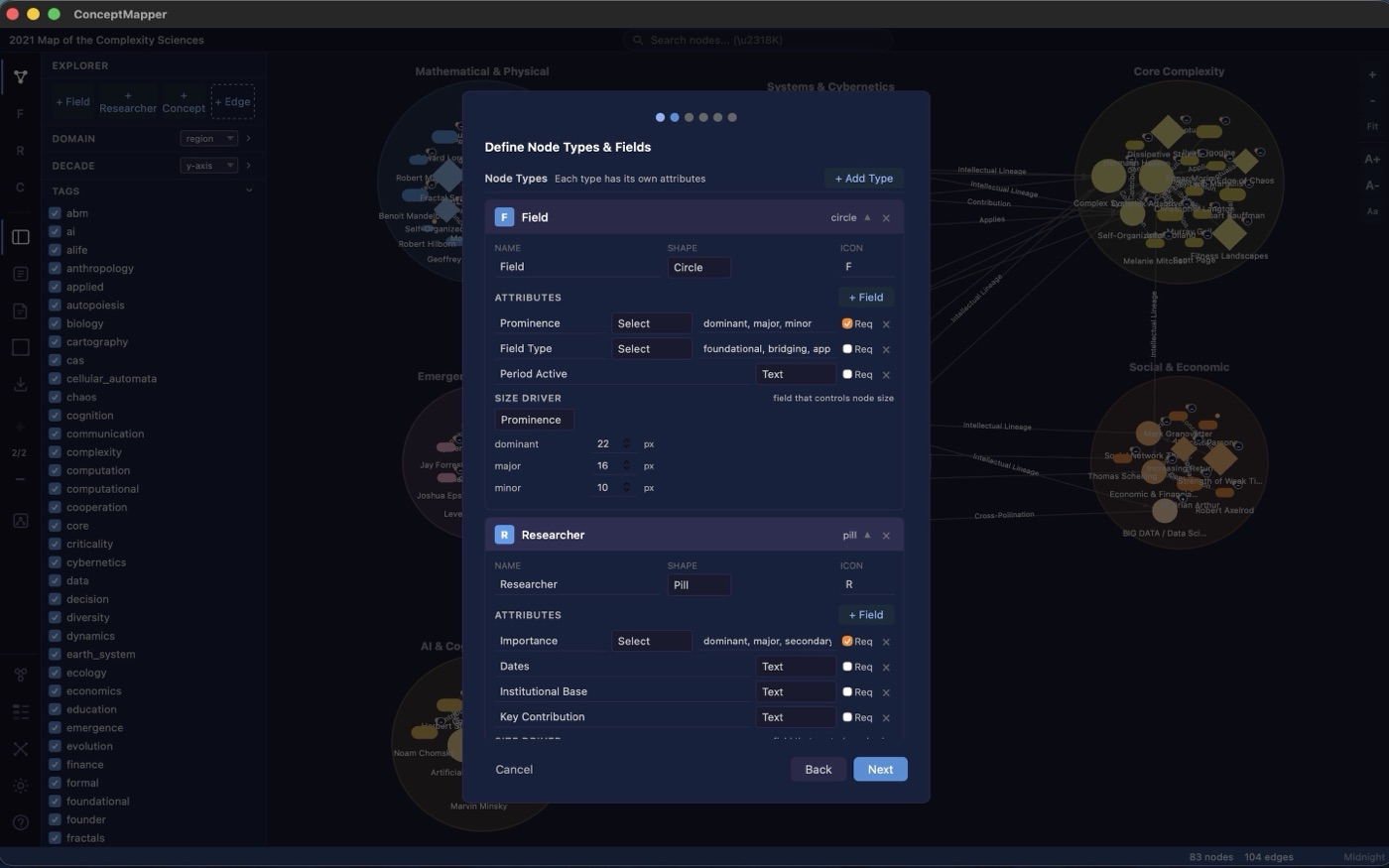
Nothing is hardcoded. Define your own node types, give each a shape, icon, and field set, and choose which field drives node size. The taxonomy lives in a separate JSON template — the single source of structural truth — so one schema can describe many maps.
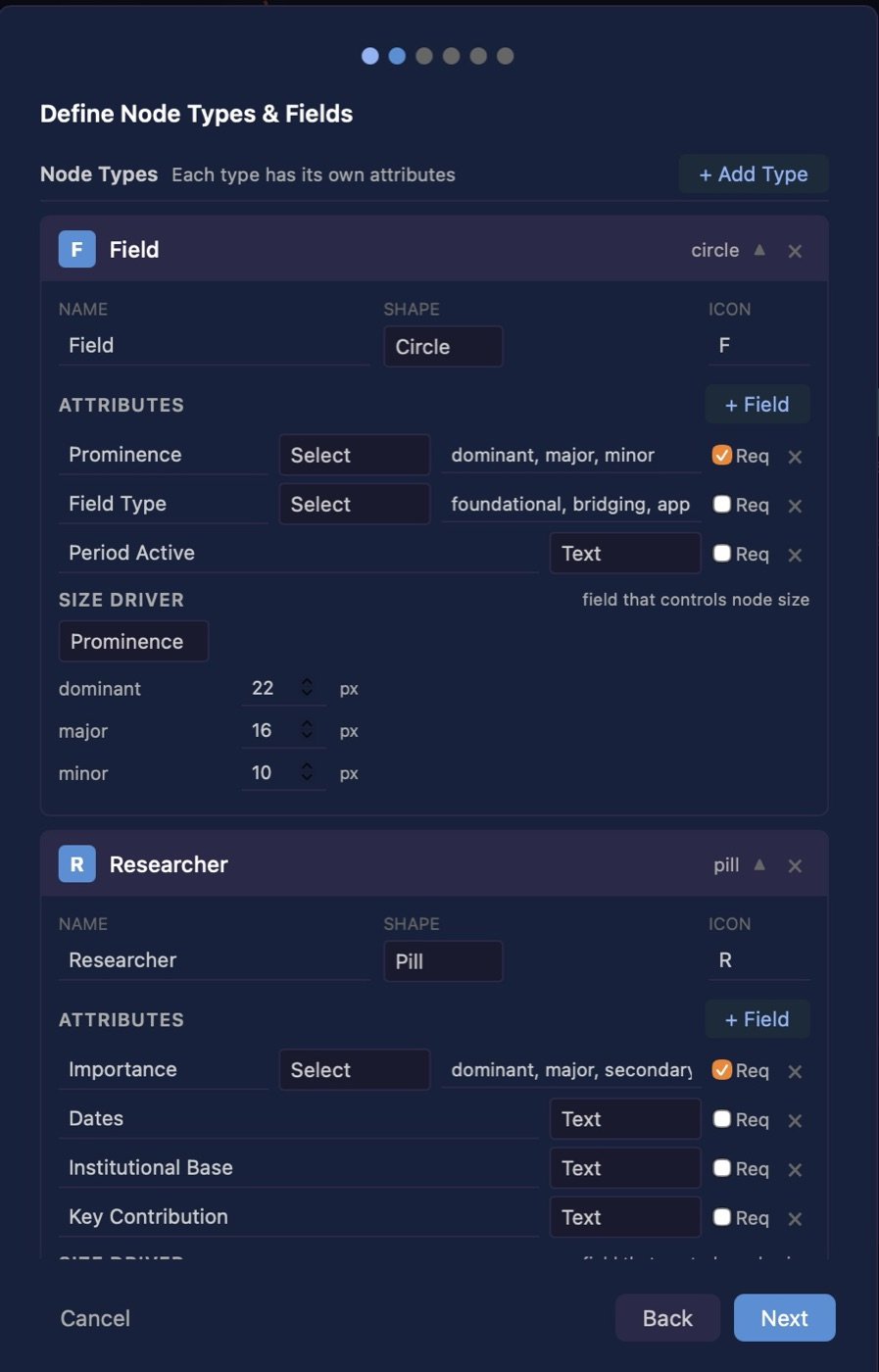
Layouts & tags
Edit the structure over a living map
Re-open the taxonomy at any time, even with a populated map behind it. Region layouts group nodes by classifier into labelled zones; the tag list filters the canvas to the themes you discover as you work. Switching layout is a re-projection of the same data, never a rebuild.
Read it as an outline
The same map, as a navigable outline
Every map also opens as a textmap: a nested, expandable outline of the very same nodes and typed relationships. Follow one thread of connections at a time, read and edit a node's notes inline, and add nodes without ever touching the canvas — one click away from the visual canvas.
Built for the Mac.
Concept Mapper is a native macOS app for macOS 14 Sonoma and later, distributed as source you build yourself — no App Store account, no installer, nothing hosted between you and the code. Your .cm maps and .cmt templates are ordinary files on your own Mac: greppable, version-controllable, and yours to keep. So is the app that reads them.
A concept map is a knowledge artefact, not a picture.
It should survive being grepped, version-controlled, edited in a plain text editor, and re-rendered by a tool that does not exist yet. Concept Mapper is built on that assumption.